Teleop Webapp
A webapp for teleoperation: FPV video, dual joysticks, and robot control. Commands flow through a gRPC relay to the robot, while video/audio streams via a WebRTC SFU (mediasoup).
Walkthrough
- Start Session: Creates a bidirectional gRPC
UserStreamconnection to the relay server. - Join Room: Enter name and room ID to join the SFU room for media streaming.
- Watch Stream: Consume video/audio producers from the robot when available.
- Control: Use dual joysticks to send
movecommands; Ready/Kill buttons for robot state. - Talkback: Enable microphone to send audio back to the robot.
- Monitor: Real-time stats display bitrate, latency, participants, and audio quality.
How it works
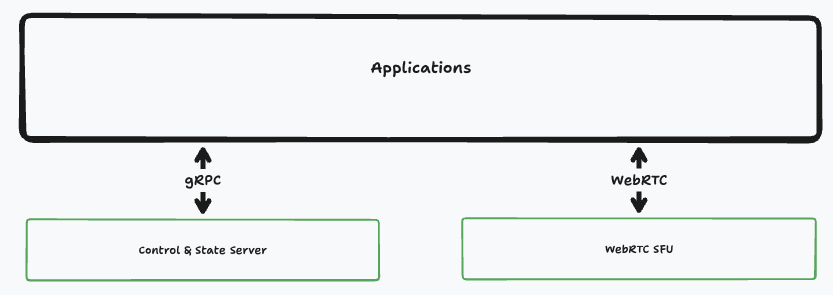
Frontend (Next.js)
- Session Management: Calls
/api/teleop/sessionto create/destroy a gRPCUserStreamsession with the relay. - Command Dispatch: Sends commands (move, start, kill) via
/api/teleop/commandwhich forwards them through the gRPC stream. - Media Streaming: Connects to the SFU via WebSocket signaling to join a room, discover producers, and consume video/audio tracks.
- Talkback: Produces an audio track to the SFU room for operator-to-robot communication.
- Stats Monitoring: Measures WebRTC bitrate, jitter, packet loss, and ping/pong latency.
SFU (mediasoup)
- Room-based Architecture: Each room has its own router; robot streams become producers, operators become consumers.
- Transport Management: Handles WebRTC transports (for browsers) and PlainRTP transports (for robot clients).
- Signaling: WebSocket-based signaling for ICE/DTLS handshakes and producer/consumer lifecycle events.
- Broadcasting: Notifies all room participants about new producers, closed producers, and participant count changes.
Relay Server (gRPC)
- UserStream RPC: Maintains a bidirectional stream per operator session for commands and robot state.
- Command Forwarding: Receives teleop commands (move, start, kill) from the frontend API and forwards them to the robot.
- State Streaming: Streams robot telemetry and state updates back to the operator in real-time.
- Session Lifecycle: Manages session creation, command routing, and cleanup on stream end.
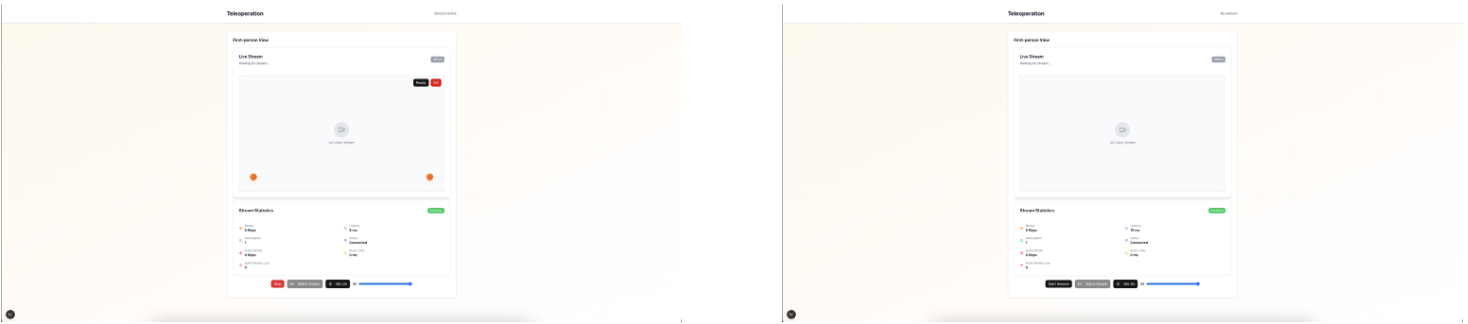
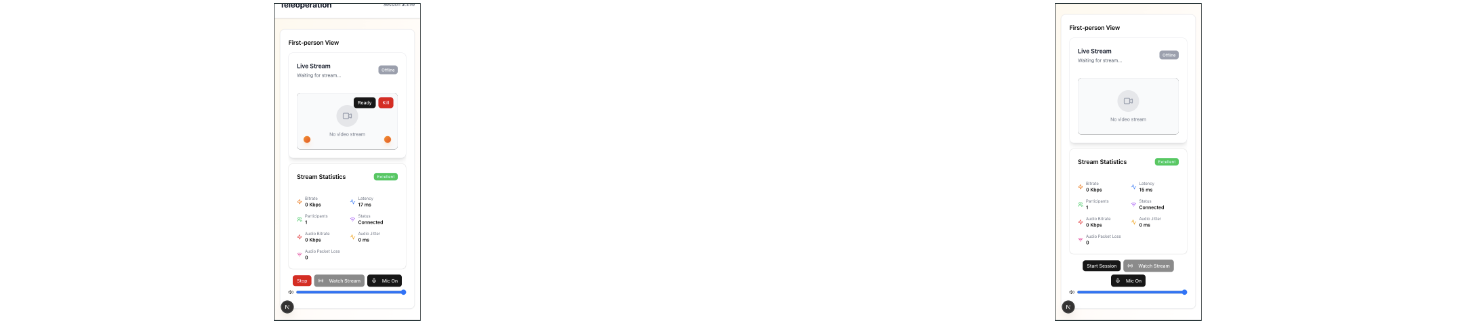
Cross-platform screenshots
Desktop
Mobile
Performance Characteristics
The teleoperation system is designed for responsive real-time control:
Latency Budget
- WebRTC encoding: 5-15ms (hardware-accelerated)
- Network transmission: 20-60ms (depends on connection quality)
- Browser decode and render: 10-20ms
- Total glass-to-glass: typically 50-100ms
Bandwidth Requirements
720p @ 30fps:~2-4Mbps1080p @ 30fps:~4-8Mbps- Audio (opus):
~32-64kbps - Commands and telemetry:
<10kbps
The SFU automatically adapts video quality based on available bandwidth. When network conditions degrade, resolution and framerate drop gracefully rather than introducing stuttering or freezing. Command channels are prioritized over media streams to maintain control even when video quality suffers.
Scaling
Each SFU room supports multiple simultaneous viewers consuming the same robot stream without duplicating bandwidth from the robot. A single robot can stream to dozens of operators or observers with minimal additional load.